Service level ledger table
A ruled, aligned table of your real commitments on every core service page.
FacilityWebStudio directory84 destinations
Nothing on the board matches . Try a plainer word, or ask a person.
Theme
Colour
Saved on this device. Press Esc to close.
Facilities management website design means building around the documented proof a procurement reviewer looks for: service level commitments, named service pages, and coverage areas, not a homepage full of adjectives.
Cost sheet
A facilities management buyer rarely lands on your site by accident. They arrive during a shortlist review, comparing several vendors back to back, often on behalf of a committee. The design has to answer their checklist quickly: what services, what commitments, what coverage, in that order, before it tries to persuade with tone.
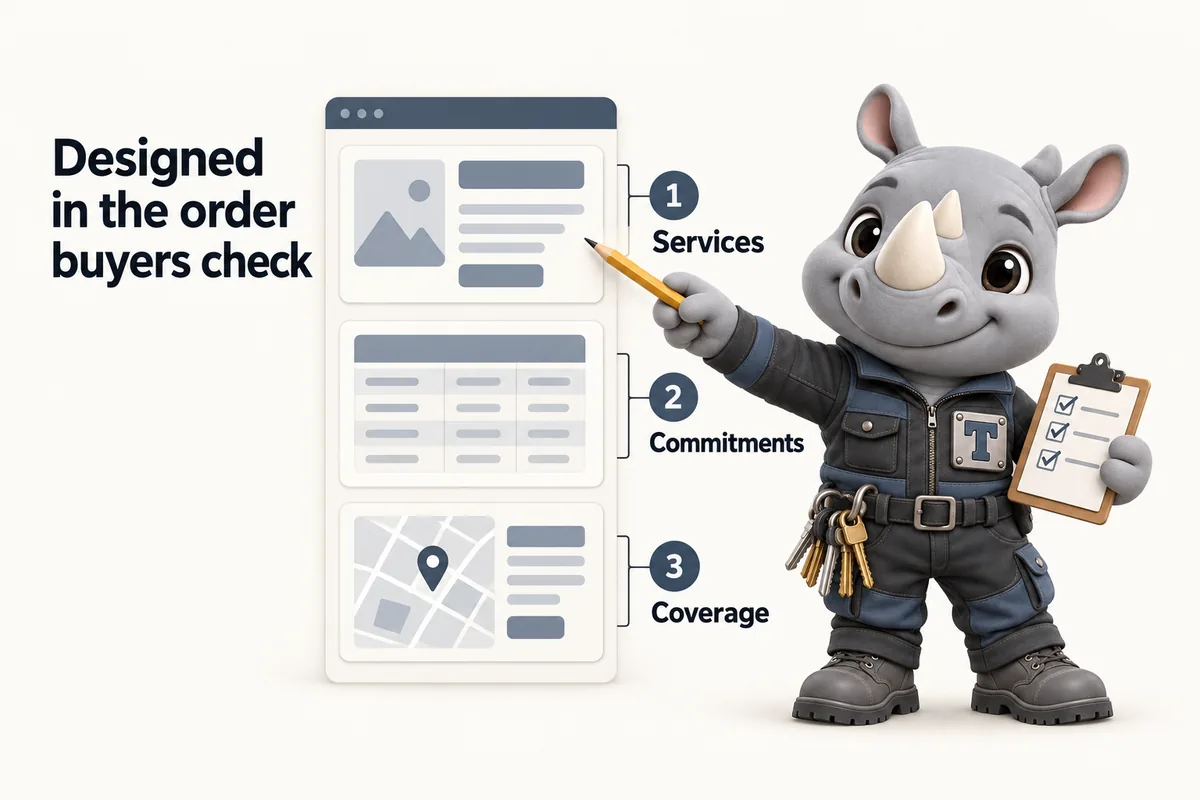
Rather than a generic "our services" grid, the design puts a real, ruled table on your key pages: service, committed frequency or response window, and coverage. It is the single element that separates a facilities management site from a template built for a different trade, and it is the one a reviewer actually reads.
The whole site runs one restrained accent color and one type pairing so it reads as one coherent document rather than a set of pages built at different times by different people. Light mode is the default; dark mode is available but never forced.
A ruled, aligned table of your real commitments on every core service page.
Home, services, locations, about, contact and enquiry pages, designed as one system.
One accent color, one radius system, light and dark both supported from day one.
Built and checked on a phone screen first, since most enquiries start there.
Copy drafted from your actual scope of work, not filled with placeholder text.
Saying plainly what the work does not cover makes the rest easier to trust.
Day 0
The plan and the build clock start. The build fee is not charged.
Onboarding
We agree the page list for this build work from your service lines, coverage and commitments.
7 to 15 days
Live in 7, 10 or 15 days depending on plan, counted from the onboarding call.
After approval
The $797 build fee is invoiced only after the site is live and you approve it.
The price is set by the plan, not by the page count: Baseline Ledger $137/ month, Operating Ledger $297/ month + usage, Enterprise Ledger $747/ month, each plus a $797 build fee invoiced after launch. What moves you between plans is whether you want the AI Engine answering calls and messages, and whether you want the Content Engine producing social posts and reels.
| Feature | Baseline Ledger$137/ month | Operating Ledger$297/ month + usage | Enterprise Ledger$747/ month |
|---|---|---|---|
| The website itself | |||
| Pages that open instantly | |||
| Service level ledger table | |||
| Location and service-area pages | |||
| Enquiries into your CRM | |||
| Compliance pages and accessible build | |||
| Search, answers and AI citations | |||
| SEO, AEO, GEO and schema | |||
| The AI Engine | |||
| AI receptionist with call summaries | |||
| AI chat on your website | |||
| AI replies on SMS, Messenger and Instagram | |||
| The Content Engine | |||
| Researched articles every week | |||
| Social posts and reels | |||
| Managed Google Business Profile | |||
| Management and ownership | |||
| Revisions and weekly detail updates | |||
| Managed hosting and security | |||
| Your domain, in your name | |||
| Move from your current site, rankings intact | |||
| Client portal for every request | |||
Every plan carries a $797 one-time build fee, invoiced only after your site is live and approved. The AI Engine plan adds AI usage on top of its monthly fee; text-message carrier fees are passed through at cost.
On mobile and desktop for every page we build and host, or we fix it at no charge.
You see the finished site before the $797 build fee is invoiced.
Registered in your name, transferred free if you ever leave.
Client notes
We used to forward facility walkthroughs emails around and hope somebody had replied. Requests are assigned automatically, with a backup for when the owner is away. Holiday cover stopped being an archaeological exercise.
Inquiry assignment and staff handover for facility walkthroughs
I appreciated being asked to separate new facility walkthroughs requests from ongoing conversations. The sender picks the route, which means the best-informed person does the sorting. Returning customers no longer repeat the whole form to ask one question.
Inquiry categories and guided navigation for facility walkthroughs
Case files
Next step
Book a 30-minute demo. Plans from $137 a month, build fee invoiced only after launch.
Every site is custom coded around your service lines, coverage and service level commitments. Nothing is a generic template with your logo swapped in.
Live in 7 to 15 days depending on plan, starting from your onboarding call rather than the day you purchase.
Yes. You review the site before launch and request changes as revisions, which are included in every plan.
Yes, that is the common case. Each service line gets its own page rather than one page trying to cover all of them.
Only as a stopgap. Real photographs of your crews, vehicles and sites build far more trust, and we place them as soon as you send them. Stock imagery is never paired with a client quote.
Yes. Your logo and accent color are carried into a restrained palette with one accent, tested for readable contrast in light and dark modes.
Design feedback before launch is part of the build. After launch, design changes are revisions, five a month included, each completed within the stated turnaround.
Yes. Every page is designed and checked on a phone first, because property managers and supervisors often read vendor sites between site visits.
A live walk-through of the site you would get, in about 30 minutes. Plans from $137 a month, the $797 build fee invoiced only after launch, domain and hosting included.
Book a demoOr email and a person replies within one working day.
FacilityWebStudio uses the cookies below. Necessary cookies keep the site working and cannot be turned off.
Saved on this device only. Press Esc to close.